Color (LUT)
Source
This content is based on Cyanview's official manuals. Always check the official page for the latest information and precise specifications.
https://support-next.cyanview.com/docs/products/software/cyan-camera-app
https://support-next.cyanview.com/docs/products/software/cyan-camera-app
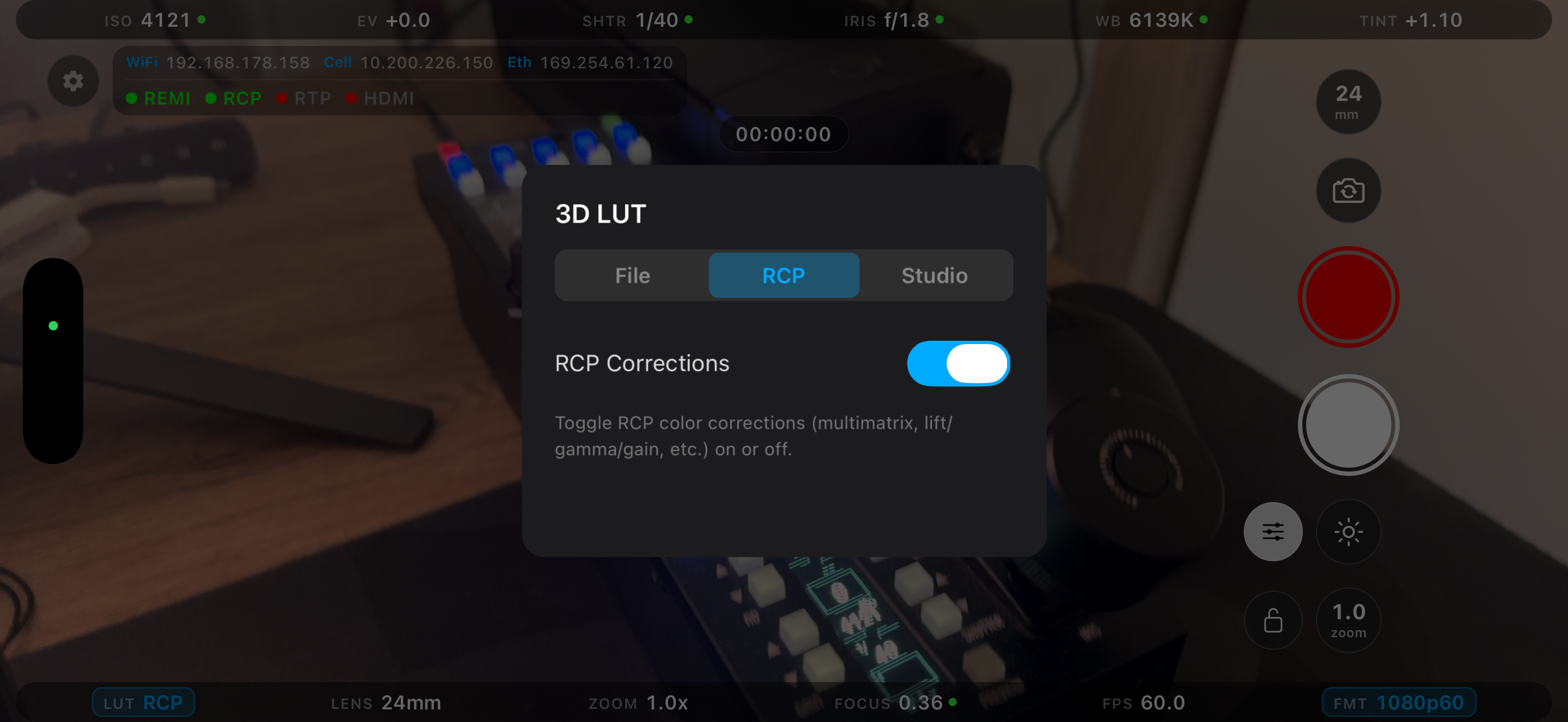
Tap LUT in the bottom toolbar to open the color screen. It has three tabs: File / RCP / Studio.
File tab (applying LUT files)
| Item | Description |
|---|---|
| Master 3D LUT | Turns the 3D LUT on / off as a whole |
| LUT carousel | Shows an Off tile, bundled LUTs, imported LUTs (delete with "x"), and Add (import) |
| Select .cube File | Import a .cube file from the device |
| Clear LUT | Remove the LUT |
| Apply To | Choose the outputs the LUT applies to (see below) |
| Chain with RCP Corrections | Applies RCP corrections first, then the LUT (shown as ON+RCP) |
Outputs available in Apply To:
- Monitor: preview and HDMI
- HDR LUT: BT.2020 / HLG
- Record / Stream: padlocked; unlock to bake the LUT into the recording or stream. These cannot be changed mid-recording or mid-stream
Two LUTs ship bundled:
AppleLog_to_Rec709.cubeAppleLog2_to_Rec709.cube
RCP tab (RCP color corrections)
There is a single RCP Corrections on / off switch (synced with the CorrOn / CorrOff custom buttons on the RCP).
Corrections adjustable from the RCP:
- White balance RGB
- Gamma RGBM
- Black RGBM
- Master black
- Hue / saturation
- Multimatrix (16-vector)
Studio tab (receiving LUTs from Studio)
This lets a studio application such as CyanView Studio push a LUT to the phone.
- Turn on Accept studio pushes.
- Enter the IP address and port shown on the screen into the studio's Devices → CyanCamera panel.
The tab shows the listening status and the LUT currently pushed.
Changing the LUT while streaming
While streaming in 8-bit color (Rec.709, P3), the active LUT cannot be changed because it would force an encoder reconfiguration. In 10-bit color (Rec.2020 HDR, Apple Log, Apple Log 2) it can be changed while streaming.